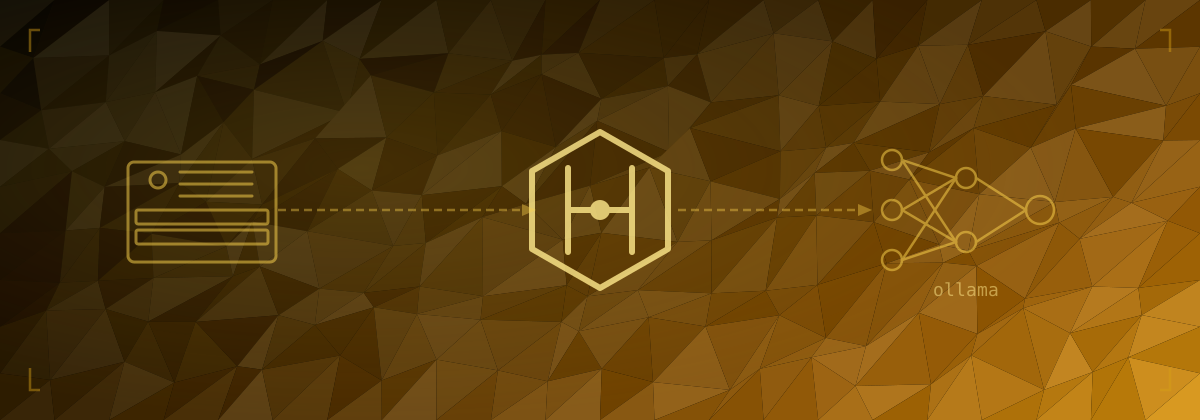
Hermes Agent on a CPU-Only Mini PC
Hermes is an open-source AI agent that can run local models via Ollama and connect to hosted providers like Claude. This post covers setting it up on a Dell OptiPlex 7070 — a fanless mini PC that makes a decent low-power inference box for CPU-only workloads.
Hardware
Dell OptiPlex 7070 Micro, 16 GB RAM, no discrete GPU. For CPU-only inference this is a reasonable starting point — enough RAM to comfortably run 7–8B parameter models and idle power draw around 10–15W. No GPU means no CUDA acceleration, so inference is slower than a gaming machine, but for a background agent handling occasional requests it's workable.
Ubuntu Install and SSH
Fresh install of Ubuntu Server (24.04 LTS). Nothing unusual — skip the snap packages during setup to keep things lean.
Once up, enable SSH if it wasn't selected during install:
sudo apt update && sudo apt install -y openssh-server
sudo systemctl enable ssh
sudo systemctl start ssh
Set a static IP or a DHCP reservation so the address doesn't change — the static IPs post covers this.
Installing Ollama
Ollama handles model management and provides a local API that Hermes can call.
curl -fsSL https://ollama.com/install.sh | shThis installs Ollama as a systemd service. It starts automatically and listens on http://localhost:11434 by default.
Pull the initial model:
ollama pull llama3.2:3bVerify it's working:
ollama run llama3.2:3b "hello"Choosing a Model
This is the part I'm still not settled on. The OptiPlex has no GPU, so everything runs on CPU via Ollama. The constraints are:
- 16 GB RAM — the model weights need to fit comfortably alongside the OS and Hermes itself. Models are typically loaded in 4-bit quantised form, so a rough guide is ~0.6GB per billion parameters.
- CPU-only inference — a 3B model runs quickly; a 13B model is slow enough to be frustrating for interactive use.
- Tool use — this is the key capability for an agent. Many small models claim tool use support but don't follow it reliably in practice.
| Model | Quantised size | Tool use reliability |
|---|---|---|
llama3.2:1b |
~0.7 GB | Poor |
llama3.2:3b |
~1.9 GB | Inconsistent (see below) |
llama3.1:8b |
~4.9 GB | Good |
mistral:7b |
~4.1 GB | Good |
qwen2.5:7b |
~4.7 GB | Good |
Starting with llama3.2:3b is reasonable for testing, but I'd recommend moving to llama3.1:8b or qwen2.5:7b for real agent use — the 3B model's tool following is inconsistent enough to make it frustrating (more on this below). Both 7–8B models fit comfortably in 16 GB. Speed is noticeably slower but adequate.
Installing Hermes
Follow the Hermes installation instructions for your platform. On Ubuntu with pip:
pip install hermes-agentOr follow the binary install path if available for your version.
After install, verify the binary is on your path:
hermes --versionSetting Up the Gateway
The gateway connects Hermes to a model provider. For Claude:
hermes gateway installFix: gateway install fails with "command not found"
On a fresh pip install, hermes lands in ~/.local/bin/ rather than /usr/local/bin/. The gateway installer calls hermes with sudo, which doesn't have the user's PATH, so it fails to find the binary.
Fix it by symlinking to a system path:
sudo ln -s $(which hermes) /usr/local/bin/hermesThen re-run hermes gateway install. This is a known gap in the installer — the symlink approach is the clean workaround.
Connecting Ollama
Point Hermes at the local Ollama instance:
# In Hermes config or via the gateway setup prompt
Ollama URL: http://localhost:11434
The gateway setup will walk through authorising the Claude connection if you're using Claude as a provider. Complete the OAuth flow in the browser when prompted, then return to the terminal to confirm.
Tool Use Issues with Small Models
The first real test after setup: "How much disk space do I have left?"
With llama3.2:3b, Hermes responded with the commands to run — something like:
You can check disk space with
df -hordu -sh /.
That's the model answering the question itself rather than using Hermes's tool system to actually run the command and return the result. The model recognised the intent but ignored the available tools.
This is a model capability problem, not a Hermes bug. Reliable tool use requires a model that's been specifically trained on function calling and that's large enough to consistently follow the schema. The 3B model does this intermittently at best.
Switching to a larger model resolves it. With llama3.1:8b or qwen2.5:7b, the same question results in Hermes actually calling the disk tool and returning the real output.
Pull a better model:
ollama pull llama3.1:8b
# or
ollama pull qwen2.5:7b
Then update your Hermes config to use the new model.
Verifying Tool Use Works
A quick smoke test once the model is switched:
- Ask something that requires a tool: "How much disk space do I have left?"
- Watch for Hermes invoking a tool call rather than just describing what to run.
- The response should contain actual numbers from the system, not instructions.
If it still describes instead of doing, check:
- The model selected in Hermes config matches what you pulled in Ollama
- Ollama is running:
curl http://localhost:11434/api/tags - The Hermes logs for any tool invocation errors
What's Next
The setup works but model selection is still an open question for this hardware. A few things worth trying:
- Benchmark
llama3.1:8bvsqwen2.5:7bon tool-heavy tasks specifically — they have different training emphases and one may suit the agent use case better - Test response latency for both models on the OptiPlex CPU — 8B is noticeably slower than 3B and it's worth knowing if it's acceptable in practice
- Tune Ollama for CPU-only inference — flash attention, memory locking, thread count, and the CPU frequency governor are all covered in the model selection post
Comments